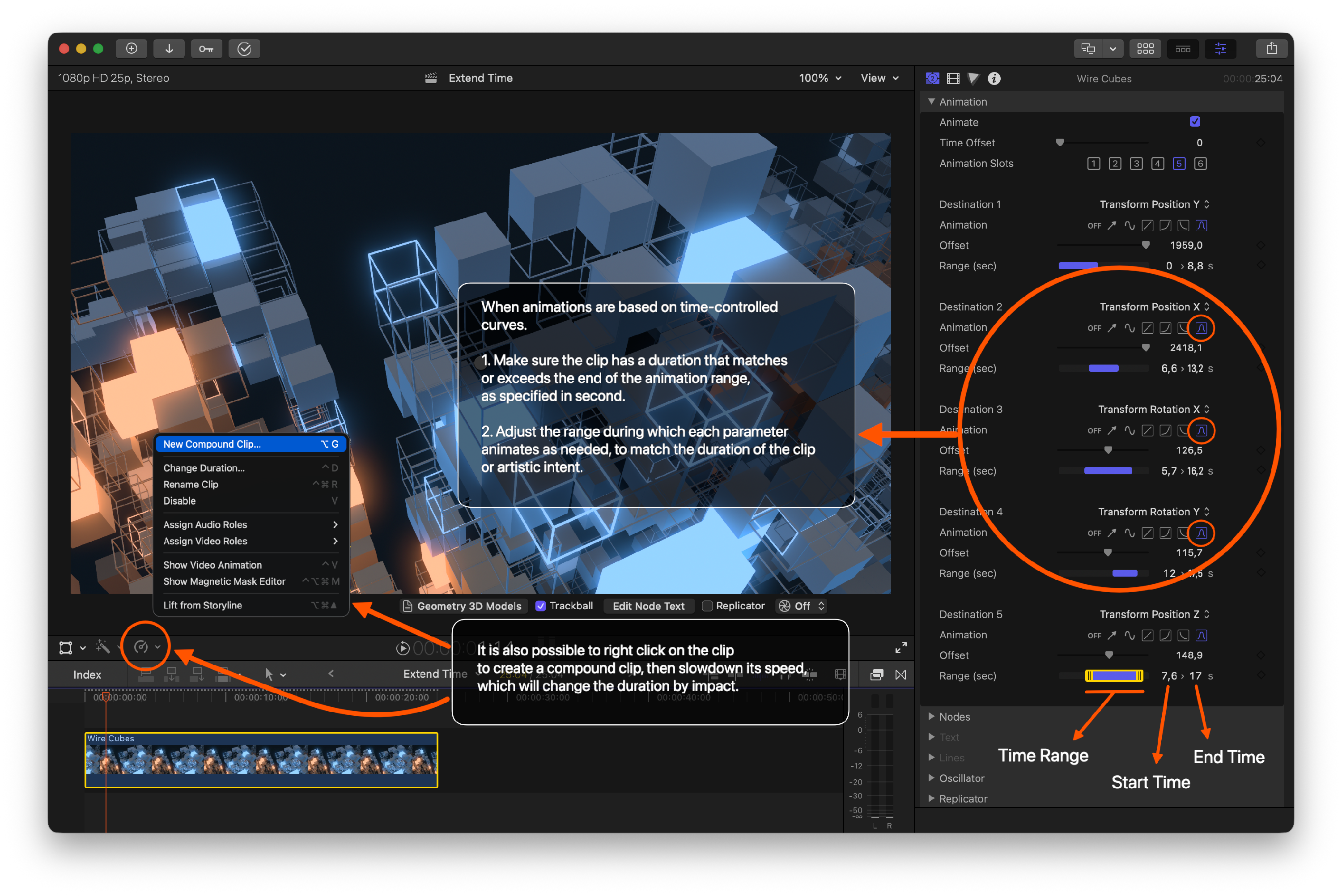
Nodes 4: Change Duration in Final Cut Pro
Nodes 4 provides a few different ways to animate parameters over time, through its own animation engine that doesn't require or involve keyframes.
How to Extend a Nodes 4 Clip to a Given Duration?
When a parameter is being animated at a constant rate (and therefore the value keeps changing "forever") it is sufficient to extend the end of the clip.
When parameters are animated within a time period, it might be necessary to extend the Range (sec) parameter.
For example, if a parameter was previously animated between 2 and 10 seconds, and you want the Nodes 4 clip to last 20 seconds, you may need to adjust the range to be between 2 and 20 seconds instead.
If you wish to uniformly speed up or slow down the entire animation, you can also create a compound clip that contains the Nodes 4 generator, and then speed up / slow down the compound clip using Final Cut Pro’s built-in re-timing tools.