
Disabling Search Criteria to Browse All Templates
Final Cut Pro 11.1.1 shipped with a small glitch that affects all effects browsers. When you are unable to locate third-party effects, please make sure your search criteria are turned off.
Click the magnifying glass to bring up current filters. Make sure both 4K and HDR are not selected:
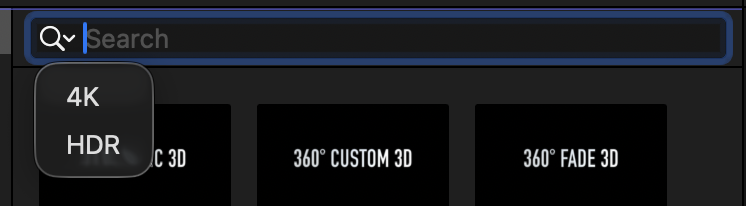
This will allow to correctly browse all effects available on your system. This bug, introduced in Final Cut Pro 11.1.1, implies that Search filters are not reliable indicators of whether an effect is in fact capable of supporting 4K or Wide Gamut HDR.
At the time of this writing, third-party effects are capable of rendering in Wide Gamut HDR if the template is explicitly saved as a Wide Gamut HDR template (true for native plug-ins such as FxFactory Pro, Photo Montage, etc.) or if the template is set to Automatic color processing (true for the vast majority of products based on Motion.)
Thankfully, this bug only affects filtering in the effect browser. The ability of plugins or templates to to work in 4K and HDR is unaffected.